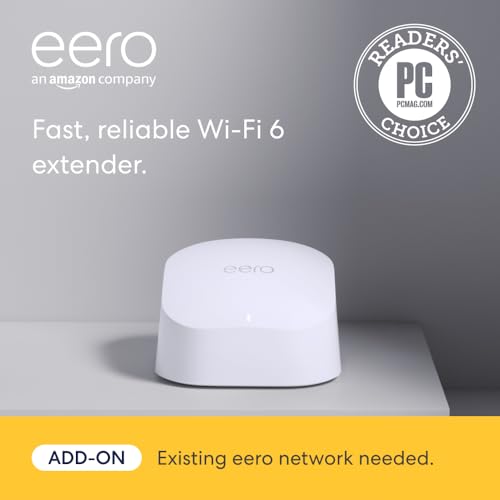
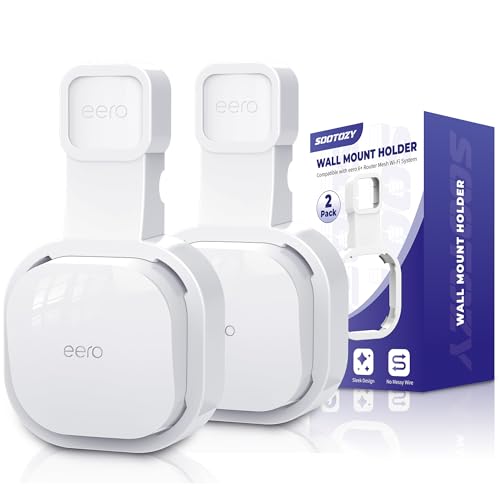
The Amazon eero 6 mesh extender adds up to 1,500 sq ft of Wi-Fi 6 coverage to an existing eero network using TrueMesh routing — which means traffic finds the fastest path dynamically instead of bouncing through a dumb repeater that halves your bandwidth at every hop. It plugs into any outlet, pairs with your eero app in about 10 minutes, and requires zero networking knowledge to configure. Not magic, just competent mesh engineering in a box smaller than your fist.
The eero 6 extender is roughly the size of an AirPods case. It disappears into any room.
Here's the thing most people don't think about: your wifi router is a radio. It broadcasts radio waves, and those waves degrade — rapidly — as they pass through drywall, wood studs, concrete, brick, appliances, mirrors, and the general mass of your home. A single router sitting in your living room can deliver strong signal within about 30–40 feet of line-of-sight, but add two walls and a floor between it and your back bedroom, and you're looking at signal loss of 50–70% or more. This isn't your ISP's fault (usually). It's not because you bought a cheap plan. It's physics. Even the Wi-Fi 6 routers that Spectrum and Comcast hand out — which are perfectly decent pieces of hardware in many cases — have the same fundamental single-point-of-failure limitation. One radio, one location, finite range. If your home is larger than about 1,200 sq ft or has more than one floor, a single router almost certainly cannot blanket it in usable signal.
The first thing most people reach for is a range extender, and this is where it gets worse. A traditional range extender receives the already-degraded signal from your router and rebroadcasts it — but because it's using the same radio to receive and transmit, it effectively halves your available bandwidth. You're amplifying a weak signal and cutting its throughput in the process. On top of that, most extenders create a second network name (something like "MyNetwork_EXT"), which means your phone doesn't seamlessly hand off as you walk through the house — you have to manually switch, or your device "sticks" to the weaker access point because it connected there first and stubbornly refuses to roam. Powerline adapters are the other common suggestion, and they work by sending data through your home's electrical wiring. In theory, clever. In practice, entirely dependent on the quality, age, and topology of your wiring. In homes built before the 1990s, or homes with multiple electrical panels, they're often nearly useless — delivering speeds barely above DSL. If you've tried a $25 range extender from Amazon and found it made things worse, that's not bad luck — that's how the technology works.
There's also a cost dimension people rarely calculate. ISP-provided router rentals run $10–15/month, and that adds up quietly. One verified Amazon buyer calculated she'd spent over $600 across five years renting a Spectrum router that dropped signal five feet from her front door. Six hundred dollars for equipment that doesn't solve the underlying topology problem — the fact that a single access point physically cannot serve an entire multi-room home. Some people respond to dead zones by upgrading their internet plan, going from 200 Mbps to 500 Mbps and paying an extra $30/month for it. But more bandwidth at the router doesn't fix range. You're paying for speed that physically never reaches the devices that need it most.
The practical fallout is predictable and specific. Video calls drop or pixelate during work meetings because your office is two rooms from the router. Security cameras in the garage or by the back door lose connection intermittently — exactly when you'd want them working. Smart home devices on the porch, in the yard, or in the basement cycle between online and offline. These aren't theoretical edge cases. They're the specific, repeated complaints across hundreds of mesh wifi buyer reviews — the problems people were trying to solve when they finally gave up on their existing setup.
A Wi-Fi repeater takes your router's signal, receives it, then rebroadcasts it — cutting your bandwidth roughly in half at each hop. It's a daisy chain, and it degrades fast. eero's TrueMesh does something architecturally different: it creates an actual mesh topology where every node can communicate with every other node simultaneously. The system continuously measures link quality between all node pairs and dynamically routes each packet along the fastest available path. If the path between your office extender and the base router gets congested — someone starts a Zoom call, say — TrueMesh reroutes traffic through an alternate node in real-time, sometimes in under a second. This is the same routing concept used in military field networks and enterprise data centers. eero just miniaturized it for your house and made the configuration automatic.
The practical upshot is one SSID, everywhere. Your devices roam seamlessly between nodes without dropping connections or requiring you to manually switch networks. Your phone on the back porch connects to the nearest extender; walk through the hallway to the kitchen and the system hands off your connection to the base router — or whichever node offers the strongest signal. The handoff is invisible. There's no MyNetwork_EXT cluttering your Wi-Fi list, no manual toggling, no wondering which access point you're actually connected to. Client steering handles it all at the protocol level.
The eero 6 extender supports 802.11ax (Wi-Fi 6) with dual-band operation on 2.4 GHz and 5 GHz. Wi-Fi 6 matters in a mesh context primarily because of OFDMA — Orthogonal Frequency Division Multiple Access — which lets the router subdivide each channel into smaller frequency allocations and communicate with multiple devices simultaneously rather than sequentially. Traditional Wi-Fi 5 serves devices one at a time, round-robin style. OFDMA serves them in parallel. If you've got 15+ devices on your network — phones, laptops, smart speakers, security cameras, thermostats, a TV streaming 4K — Wi-Fi 6 reduces congestion significantly. You also get BSS coloring to reduce interference from neighboring networks and Target Wake Time (TWT) for improved battery life on IoT devices.
Coverage math: each eero 6 extender adds up to 1,500 sq. ft. of usable coverage. That coverage stacks — two extenders plus a base eero router can blanket a 4,500 sq. ft. home. But placement matters more than quantity. The extender should sit roughly halfway between the base router and the dead zone, ideally with minimal wall obstructions and line-of-sight preferred. Concrete, brick, and metal-backed insulation kill signal; drywall and wood are mostly transparent. The eero app shows real-time signal strength between nodes so you can physically move the extender and watch the metrics change — no guesswork, no RF engineering degree required.
One thing that separates eero from most networking hardware: automatic updates. eero pushes firmware updates over the air, automatically, in the background. Security patches, performance optimizations, new features — they install without you ever logging into a web admin panel, downloading a .bin file, or rebooting anything manually. Since 2016, eero has shipped hundreds of updates this way. The practical result is that your network security posture actually improves over time rather than degrading as new vulnerabilities are discovered. It's the phone model applied to networking — and it works.
The eero 6 extender is compact and port-free by design — it exists purely to extend wireless coverage as efficiently as possible.
Every eero node talks to every other node, dynamically choosing the fastest path for each packet. If a route degrades, traffic reroutes instantly. This is active mesh topology — not a dumb relay chain.
Dual-band support with OFDMA for simultaneous multi-device communication. Handles 75+ devices without the sequential bottleneck of Wi-Fi 5. Better power efficiency for IoT devices too.
Firmware patches deploy automatically in the background. No admin panels, no manual downloads. The system hardens itself against new threats without any intervention from you.
One network name, everywhere. Devices roam between nodes without dropping. The mesh manages client steering so your phone always connects to the strongest available node.
See every connected device, run speed tests, pause internet by profile, share your network, and get placement recommendations. The app replaces the clunky web admin panels of traditional routers.
Start with one extender and add more as needed. Each node integrates automatically. No configuration, no IP conflicts, no channel planning. The mesh self-optimizes as you add nodes.
No Ethernet ports on the extender model. Need wired connections? The eero 6 router (sold separately) includes Ethernet and can serve as a mesh node.
Let's start with the number most people don't think about because it's buried in their bill. Spectrum, Comcast/Xfinity, and AT&T all charge somewhere between $10–$15/month for router rental. That's $120–$180/year. Over three years you're looking at $360–$540. Over five: $600–$900. One verified Spectrum customer confirmed paying north of $600 over five years for a single-point router that still left half the house in a dead zone. You're essentially subscribing to mediocre coverage — paying a premium every month for hardware that was outdated when they shipped it to you, and that still can't reach your bedroom upstairs.
Now the eero math. An eero 6 extender typically runs $40–$90 depending on sales and configuration. If you're adding it to an existing eero system, that's the entire additional cost — done. If you're starting from scratch, a base router plus extender kit lands around $150–$200. Either way, your breakeven versus ISP rental is 3–8 months. After that, every single month is pure savings — money that just stops leaving your bank account. And unlike the rental box, you're getting actual whole-home coverage with seamless roaming, automatic updates, and Wi-Fi 6 support. Better performance and you keep more of your money. That's not a trade-off.
Then there's the hidden cost of the "cheap" alternative. A $25 range extender from Amazon looks like a bargain until you realize it halves your bandwidth and creates a separate network name you have to manually switch between. Your devices won't roam seamlessly — they'll cling to a weak signal until you physically toggle connections. Most people who go this route end up buying two or three of them, spending $50–$75 total on gear that actively makes their network worse. Then they buy a mesh system anyway. Cheap usually isn't.
| ISP Rental Router | Range Extender | eero Mesh ✦ | |
|---|---|---|---|
| Year 1 Cost | $120–$180 | $25–$40 | $40–$90 |
| Year 3 Cost | $360–$540 | $50–$80(replacement cycle) | $40–$90one-time, done |
| Coverage Quality | Single point, dead spots | Half bandwidth, separate SSID | Full mesh, seamless roaming |
| Setup Complexity | ISP handles it | Moderate, manual config | App-guided, <10 min |
| Ongoing Updates | Rare, ISP-dependent | None | Automatic |
Starting from scratch? Look for eero system bundles that include a base router + extender(s).
If your ISP provides internet via Ethernet, coax, or DSL, eero is compatible. The only exception is ISPs that require proprietary gateway hardware with no bridge mode.
This is the eero 6 extender (add-on), not the eero 6 router. It has no Ethernet ports and requires an existing eero base unit. If you need a wired connection at this node's location, consider the eero 6 router instead, which includes Ethernet ports and can function as a mesh node.
Straightforward answers — including the stuff the product page glosses over.
Still have questions? The Amazon listing has thousands of answered Q&As.
Check Current Price on Amazon →
The eero 6 extender adds 1,500 sq ft of Wi-Fi 6 mesh coverage to your existing eero network. Setup takes under 10 minutes. It pays for itself within months if you're currently renting an ISP router.
Requires an existing eero base router. Not a standalone device.
Buyer Evidence
What Actual Buyers Report After Installation
Rather than cherry-picking superlatives, here are the reviews that contain the most specific, verifiable claims. These tell you more than a star rating.
"My modem crashed a few months ago and Spectrum had to replace the system. I learned during that installation that I was being charged an extra $10/month for my router. Didn't realize that for 5 years, I was only 'renting' my router. Which has been an absolute waste of $600... My first Spectrum router was very spotty towards the back of my house (1050sq ft. house) and the new router which was supposed to be an upgrade to Wi-Fi 6, was even worse. My phone would lose connection to the new router on my front porch which is 5 feet away from my router... OMG!! Super super easy to install. Your grandparents could install this... I have not lost signal once. Not even on my front porch... This will pay for itself in 6 months now that I am not 'renting' my router."
Key data: $600 in ISP rental fees, 1,050 sq ft home, signal loss within 5 feet of ISP router, zero drops after eero install.
"I have been battling poor wifi for a long time with range extenders and wifi over powerline - both were poor solutions. This mesh system was easy to set up and worked first time, and is more than fast enough for all our needs. So far, I cannot fault it in any way."
Confirms the range-extender-to-mesh upgrade path. Both common alternatives (repeaters, powerline) explicitly dismissed.
"We were hoping to solve an issue we were having with our Wifi setup which prevented us from reliably connecting to our two alley cameras and interior garage camera/door opener. These 3 devices were just a bit too far from our Wifi to get a strong connection to stream a video feed... However, after installing this extender, the signal is super strong and connecting to these cameras is much faster... Best of all, each of the alley devices are automatically connecting to the extender without needing to manually assign them, so convenient!"
Specific smart home use case: security cameras and garage door opener at wifi edge. Automatic client steering confirmed — no manual reassignment.
"I needed to extend my wireless reception for my home office. This was recommended by the cable guy and was easy to install. Instead of just picking up a signal and patching it through, it creates a web in my home and extends the wi-fi not only to my office, but upstairs as well."
Only 4-star review — included for credibility. Third-party recommendation from ISP technician. Shows the buyer understands the mesh vs. repeater distinction.
Worth noting: some buyers report occasional buffering during real-time video calls, and the extender has no Ethernet ports. These are real limitations depending on your use case. The reviews above represent the majority experience, not every experience.